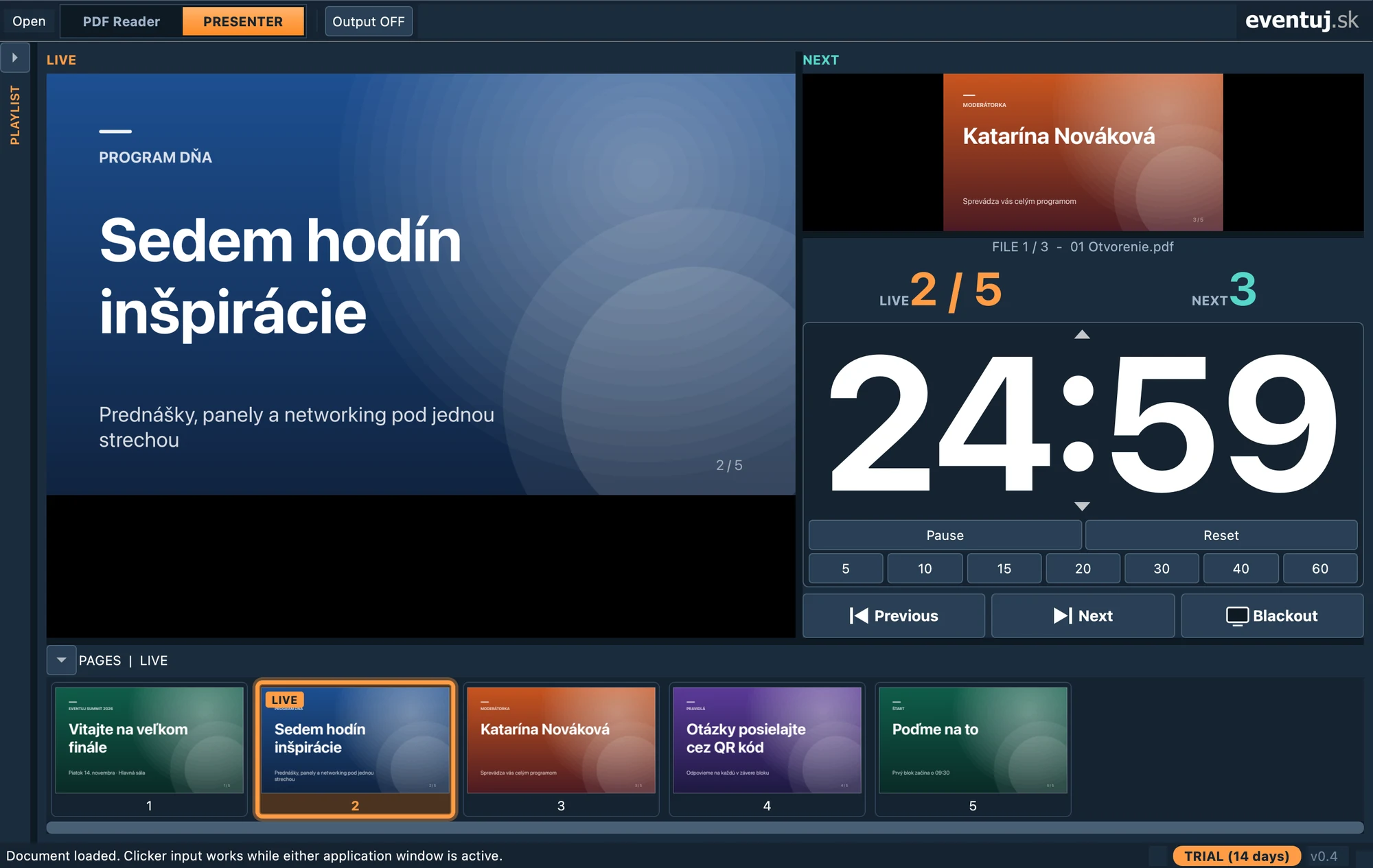
LIVE a NEXT náhľad
LIVE and NEXT preview
Vidíte, čo je práve na plátne, aj čo príde ďalej. Strany meníte klikom, klávesom alebo clickerom.
See what is on screen now and what comes next. Change pages by click, key or clicker.
Čítačka a prezentačný systém v jednej aplikácii. Obecenstvo vidí len to, čo má, vy máte pod kontrolou aktuálny aj nasledujúci slajd, čas a celý program.
A reader and presentation system in one app. The audience sees only what it should, while you keep the current and next slide, the time and the whole programme under control.
Prvých 14 dní sú odomknuté všetky funkcie. Potom ostáva zadarmo PDF čítačka.All features are unlocked for the first 14 days. After that the free PDF reader stays.
Navrhnuté pre techników, moderátorov aj rečníkov. Rýchle, prehľadné a spoľahlivé aj pri živom vysielaní.
Designed for technicians, hosts and speakers. Fast, clear and reliable even live.
Vidíte, čo je práve na plátne, aj čo príde ďalej. Strany meníte klikom, klávesom alebo clickerom.
See what is on screen now and what comes next. Change pages by click, key or clicker.
Samostatné fullscreen okno na projektore alebo LED stene. Škálovanie, výber monitora a okamžitý Blackout.
A separate fullscreen window for the projector or LED wall. Scaling, monitor selection and instant Blackout.
Odpočet s predvoľbami 5 až 60 minút. Posledné minúty farebne upozornia, po vypršaní ide čas do mínusu.
Countdown with 5 to 60 minute presets. The last minutes are colour-coded and time goes negative once it runs out.
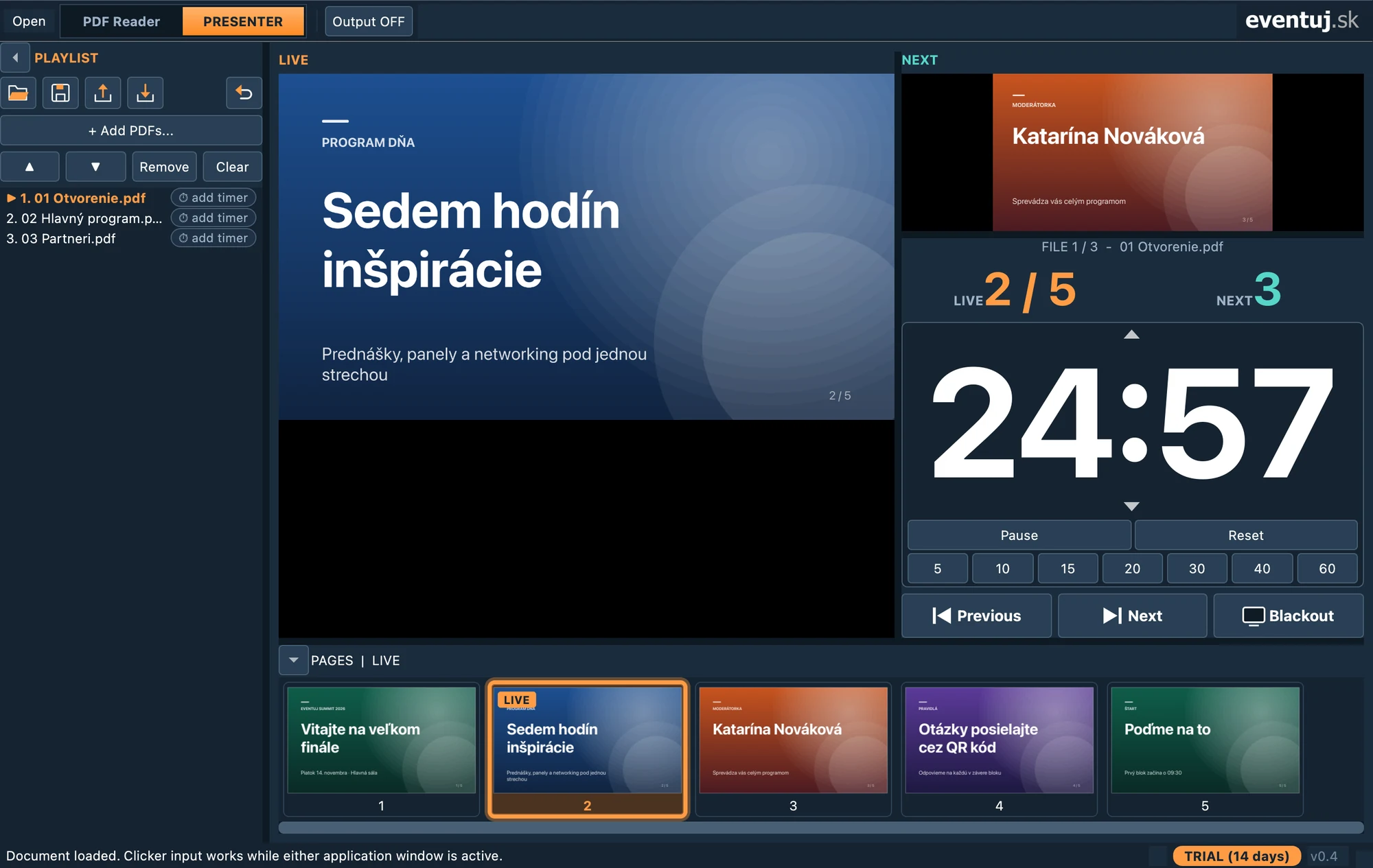
Poskladajte celý program z viacerých PDF a prechádzajte medzi nimi plynulo. Každý súbor môže mať vlastný čas.
Build the whole programme from several PDFs and move between them smoothly. Every file can have its own time.
Fade, Dip to black, Slide, Wipe alebo Zoom. Efekt vidíte na výstupe aj v LIVE náhľade.
Fade, Dip to black, Slide, Wipe or Zoom. The effect shows on the output and in the LIVE preview.
Vykresľovanie mimo hlavného vlákna a prednačítanie strán. Aj ťažké PDF sa listujú bez zaseknutia.
Rendering off the main thread and page prefetching. Even heavy PDFs flip without stutter.
Vľavo LIVE, vpravo , pod nimi odpočet a ovládanie. Miniatúry strán máte stále po ruke.
LIVE on the left, on the right, the countdown and controls below. Page thumbnails always at hand.
Pridajte PDF súbory, zoraďte ich a každému nastavte čas. Pri prechode na ďalší súbor sa odpočet spustí sám.
Add PDF files, put them in order and give each its own time. When the next file starts, the countdown follows on its own.
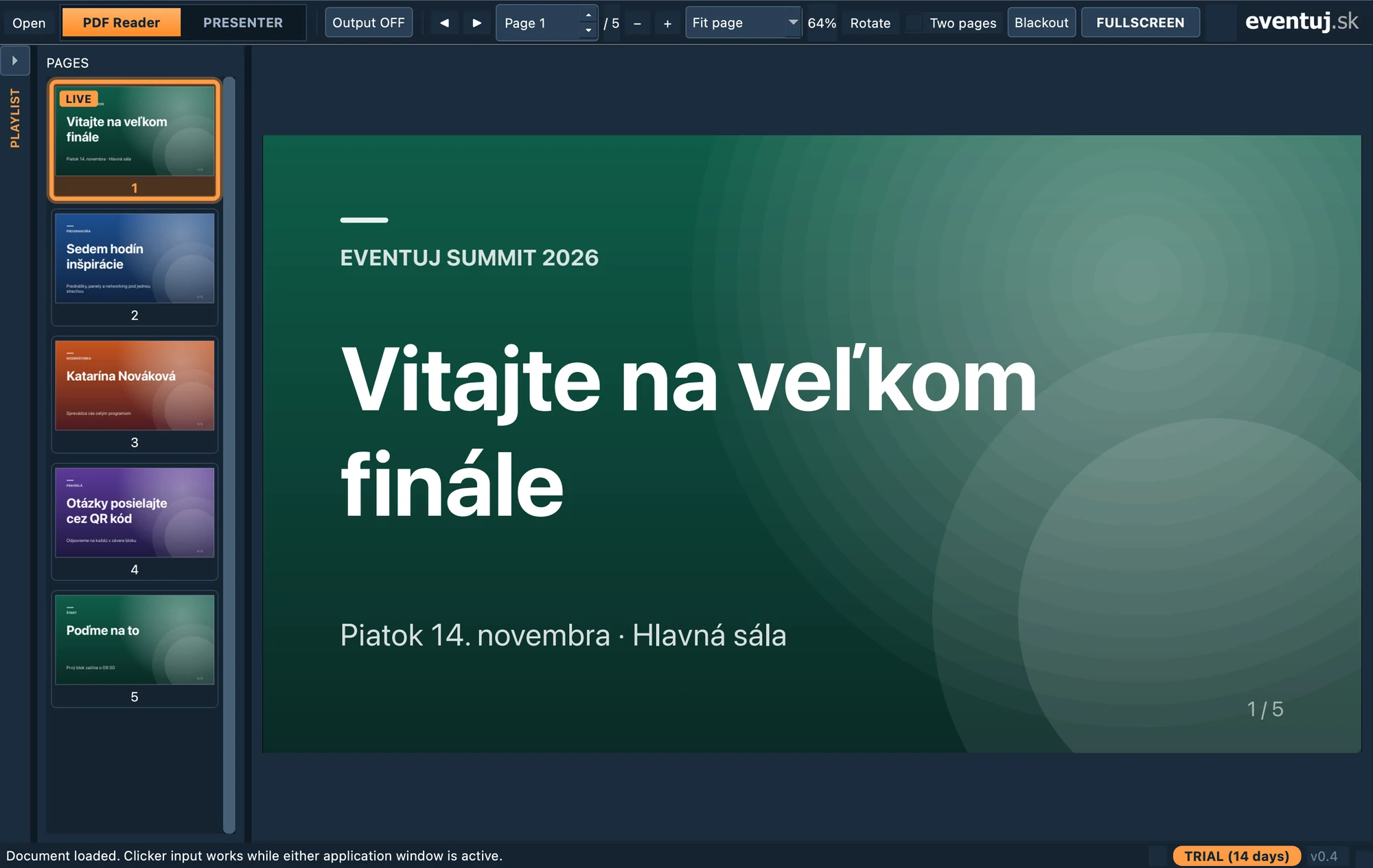
Aj bez licencie otvoríte PDF, listujete, hľadáte text a zobrazíte dokument na celú obrazovku.
Even without a license you can open PDFs, browse, search text and show a document fullscreen.
Plná verzia sa aktivuje licenčným kľúčom a funguje na 2 počítačoch.
The full version is activated by a license key and works on 2 computers.
Inštalátor pre macOS (DMG) a pre Windows 10/11 (EXE, 64-bit).
Installer for macOS (DMG) and for Windows 10/11 (EXE, 64-bit).
macOS: otvorte DMG a presuňte aplikáciu do Aplikácií. Windows: spustite stiahnutý EXE inštalátor.
macOS: open the DMG and drag the app into Applications. Windows: run the downloaded EXE installer.
Všetky funkcie sú odomknuté hneď od prvého spustenia.
All features are unlocked from the very first launch.
V menu Help → License… zadajte kľúč EVJ-XXXX-XXXX-XXXX-XXXX.
In Help → License… enter your key EVJ-XXXX-XXXX-XXXX-XXXX.
Aplikácia pokračuje ako bezplatná PDF čítačka. Presenter s externou obrazovkou, celý Timer a Playlist sa odomknú licenčným kľúčom.
The app continues as a free PDF reader. Presenter with external screen, the full Timer and Playlist are unlocked with a license key.
Jeden kľúč sa dá aktivovať na 2 počítačoch. Počítač môžete kedykoľvek odhlásiť v okne Help → License… a kľúč použiť inde.
One key can be activated on 2 computers. You can deactivate a computer any time in Help → License… and use the key elsewhere.
Nie. Internet sa používa na aktiváciu a pravidelné overenie licencie na pozadí. Vydaný certifikát platí 30 dní a aplikácia ho kontroluje offline.
No. Internet is only used for activation and periodic background verification. The issued certificate is valid for 30 days and the app checks it offline.
Áno. Klávesy, ktoré posielajú bežné clickery, sa dajú nastaviť v Setup, vrátane testovacieho režimu.
Yes. The keys that common clickers send can be configured in Setup, including a safe test mode.
Aplikácia pri štarte skontroluje novú verziu a ponúkne stiahnutie. Kontrolu môžete spustiť aj ručne v menu Help.
The app checks for a new version on start and offers the download. You can also run the check manually from the Help menu.
Stiahnite si aplikáciu a vyskúšajte ju naplno. Ak narazíte na otázku, ozvite sa nám.
Download the app and try it fully unlocked. If you have a question, just write to us.